
Video Downloader, Download All
Shotcut Video WorkshopVideo Players & Editors
4.52.56K Reviews
- Version
- 1.89.0
- Installs
- 50.00M
- Age Rating
- Everyone
Screenshots
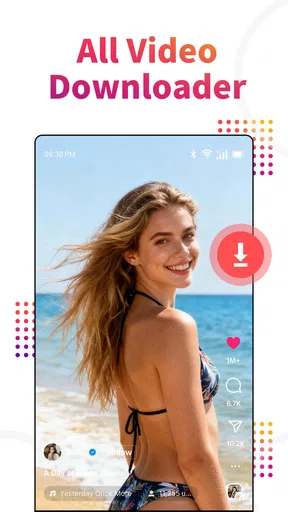
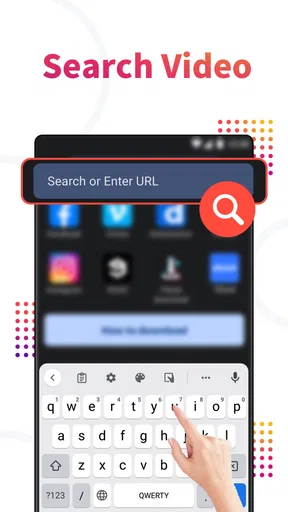
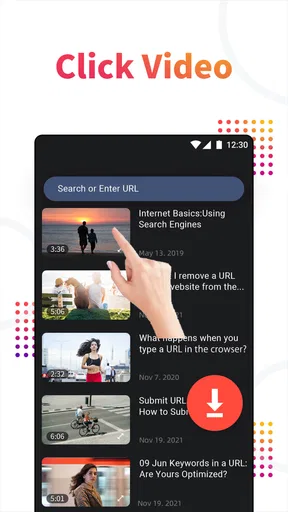
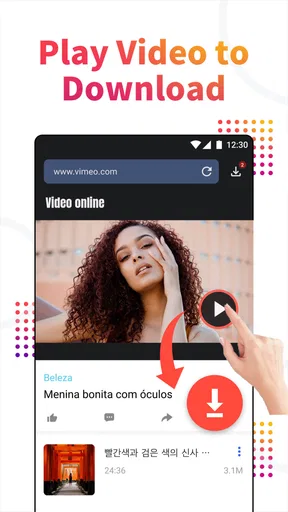
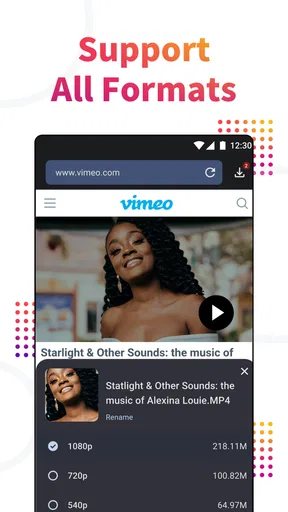
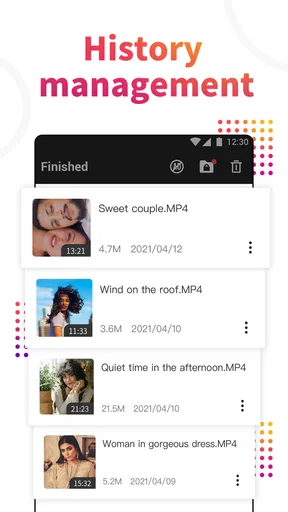
Our Review of Video Downloader, Download All
 Analysis by Appyee
I tend to judge a video downloader less by its promise of speed and more by how it behaves when the connection is imperfect. Video Downloader, Download All is built around finding and downloading online videos, so the quality of the experience depends heavily on the network, the source page, and the amount of mobile data available. After using it as an everyday utility rather than treating it like a full editing suite, I found it most useful for people who want a straightforward way to manage video downloads from their phone.
The app sits in the Video Players & Editors category and comes from Shotcut Video Workshop. It is free to install, rated for Everyone, and supports devices running Android 7.0 or later. Its current version is 1.84.1, while optional purchases range from $3.99 to $23.99 per item. That combination makes it easy to try without committing money first, although users who dislike in-app purchase prompts should pay attention during use.
How Video Downloader, Download All handles real-world connections
The first thing I noticed is that this is not an app that can remove the limitations of the internet. It can help locate and start a download, but the result still depends on whether the video page is reachable, whether the source responds properly, and whether the connection remains stable long enough to finish. That sounds obvious, yet it matters because a downloader can feel excellent on a strong home connection and frustrating on a crowded mobile network.
On a reliable connection, the basic workflow is easy to understand. I could search for a video, open the relevant result, and move toward downloading it without needing a separate desktop program. The automatic detection is a useful part of the experience because it reduces the need to copy addresses manually or switch repeatedly between a browser and the downloader. For someone who regularly saves clips for later viewing, that small reduction in friction is more important than a long list of advanced controls.
The app is less convincing when the source page is complicated or the network keeps changing. A page may load slowly, a video may begin buffering, or a download may appear to pause while the connection negotiates again. I would not interpret every delay as an app failure. In practice, the downloader is working inside a chain that includes the phone, the network, the source website, and available storage. Knowing that helps prevent unnecessary retries that consume more data without solving the original problem.
The most useful mindset is to treat each download as a network task, not an instant transfer. If I am on a weak signal, I first wait until the video page itself opens consistently. Starting a download before that point often creates a poor experience, especially when I am relying on cellular data. A stable beginning does not guarantee a perfect finish, but an unstable beginning is usually a warning to wait.
Why automatic detection helps, and where it can slow you down
Automatic detection is particularly handy when I am moving between several pages during research. Instead of remembering a link, copying it, and pasting it into another screen, I can let the app recognize the video context. That makes the tool feel more like a practical mobile companion than a technical utility designed only for experienced users.
There is a trade-off, though. Detection depends on the page being interpreted correctly. When a page contains several media elements, promotional material, or a layout that changes while loading, I would take a moment to confirm that the selected item is the video I actually want. A fast tap is not always the best tap. Checking the title and source before beginning can save both time and storage space.
This is one area where the app differs from the usual browser-only approach. A browser is better for exploring, reading comments, checking context, and deciding whether a video is worth keeping. Video Downloader, Download All is more focused once I have already made that decision. I prefer using the browser for discovery and the downloader for the final saving step, rather than expecting one app to do both jobs equally well.
Using it on a phone during ordinary mobile situations
The strongest use case is a simple one: I find a useful video while connected to a dependable network and want to keep it available in my device’s local storage for later access. This might be a reference clip for a project, a tutorial I expect to revisit, or a video I want to organize with other files. The value comes from moving that task onto the phone instead of waiting until I have access to a computer.
On a commute or in a place with inconsistent reception, I would be more careful. The app may help me begin a download, but it should not be treated as a guarantee that a weak signal will become reliable. If I know I will be traveling, I prefer preparing files before leaving a strong connection. That workflow is less exciting than downloading at the last second, but it avoids the common problem of discovering that the transfer stopped when I no longer have a dependable signal.
Screen size also changes how I use it. On a phone, a compact downloader is convenient because I can search and act immediately, but small screens make it easier to select the wrong result or overlook a status message. I recommend slowing down at the confirmation stage, especially when several similar videos appear. The extra second is worthwhile when storage and mobile data are limited.
People with older Android devices should also check compatibility before planning around the app. It supports Android 7.0 and newer, which covers many devices, but not every phone still in use. For supported hardware, performance will still depend on free storage, background activity, and connection quality. I would avoid starting a large transfer while the phone is already handling several demanding tasks.
A practical workflow for unreliable networks
When a download fails, my first step is not to press the download control repeatedly. I check whether the original page still loads, whether the phone has switched between Wi-Fi and cellular service, and whether there is enough free space for the file. These checks are simple, but they address the most common causes of a stalled transfer without creating a pile of duplicate attempts.
If the connection has dropped, I close the loop by waiting for a stable signal before trying again. If the page itself no longer responds, repeating the same action is unlikely to help immediately. I would return later or use the browser to confirm that the source is available. This is a more measured recovery process than assuming the app can repair a source-side problem.
Another useful habit is to keep downloads separated from urgent phone use. If I need to make a call, navigate, or conserve battery, I do not begin a transfer at the same time unless the file is genuinely important. A downloader is more convenient when I can leave it enough network and device resources to finish, rather than interrupting it several times.
The app’s large user base suggests that this straightforward approach appeals to many people. It has more than 50 million installs, with an average rating of 4.5 from roughly 215 thousand ratings and about 2.5 thousand written reviews. Those figures make it look established, but they do not remove the need to judge each download by its source and connection. Popularity is reassuring; it is not a substitute for checking whether the app fits a particular workflow.
Saving mobile data instead of wasting it
For me, the biggest connectivity question is not simply “Can it download?” but “Is this the right time to download?” Video files can consume a meaningful amount of data, so I use a deliberate routine. I search and preview while connected to Wi-Fi when possible, choose only the videos I genuinely expect to use, and avoid restarting a failed transfer until I know what caused the failure.
This matters especially when a video is long or when the connection is unstable. A partial attempt followed by another full attempt can use more data than expected. I also avoid downloading several items at once when I am away from home, because the convenience of queuing files can make it harder to notice how much data the session is consuming.
Storage deserves the same attention. A successful download is not useful if it leaves the phone too full for photos, messages, updates, or other everyday tasks. Before saving a batch of videos, I look at available space and decide whether the files have a clear purpose. This is a small discipline, but it turns the app from a source of clutter into a controlled archive.
There is also a privacy and trust angle to any downloader. I would use it for sources I recognize and avoid treating every detected result as equally trustworthy. Automatic recognition makes the process faster, but speed should not replace judgment. Confirming what I am downloading, where it came from, and whether I have the right to keep it is part of responsible use.
Where it fits beside browsers and editing apps
Compared with a normal mobile browser, this app is more focused on the saving step. A browser remains the better choice for broad web navigation and for pages where I need full context. The downloader becomes more attractive when the goal is clear and I want fewer steps between finding a video and starting the transfer.
Compared with a full video editor, it is much narrower. I would not choose it when my main goal is trimming footage, adding captions, adjusting sound, or building a finished project. Its role is obtaining video, not replacing an editing workstation. Someone looking for a complete creation suite should choose an editor designed around timelines and production tools instead.
That narrow focus is actually a strength for casual users. I do not have to learn a complicated editing interface just to save a video. On the other hand, users who want detailed control over formats, conversion, or production settings may find the experience too limited. The right choice depends on whether downloading is the destination or merely the first stage of a larger project.
What the free model means in daily use
The free price makes experimentation easy, which is helpful if I only download occasionally. I can see whether the workflow suits my phone and connection before spending anything. Optional in-app purchases are available from $3.99 to $23.99 per item, so anyone who wants a completely uninterrupted free experience should pay attention to how the app presents those options.
I would not pay simply because a transfer is slow. A purchase cannot fix a weak signal, an unavailable source, or a nearly full device. If I were considering an optional item, I would first establish that the app’s basic process works reliably for the sources I use. That is a better test than assuming payment will solve every point of friction.
The Everyone content rating also makes the app approachable for a broad audience, but it does not mean every online video is suitable for every viewer. The rating describes the app’s general audience, not the entire internet. Parents and younger users should still use normal judgment about the material they search for and save.
Who should use it, and who should skip it
I would recommend Video Downloader, Download All to someone who frequently wants a direct mobile method for saving online videos and is comfortable managing network use and storage. It is a good fit for students collecting reference material, travelers preparing useful clips before a journey, and casual users who do not want a full desktop-style workflow.
I would be more cautious recommending it to someone with very limited storage, an unreliable data plan, or an expectation that every online source will download without interruption. The app cannot make a poor connection dependable. It is also not the right tool for a person who primarily wants to edit, publish, or organize a serious video library.
For advanced users, the key trade-off is simplicity versus control. The automatic approach saves time, but it may not satisfy someone who wants to inspect every technical detail before downloading. In that case, a more specialized browser or media-management tool may be preferable, even if it takes longer to learn.
My connectivity verdict
After using it as a practical phone utility, I see Video Downloader, Download All as a focused solution rather than a universal answer to online video. Its automatic detection and direct download workflow are genuinely convenient when the connection is stable and the source is straightforward. The app is at its best when I prepare on dependable Wi-Fi, verify the selected video, and keep an eye on storage.
Its limitations are closely tied to the same network reality that shapes its usefulness. Weak reception, changing connections, source-side problems, and careless data use can all turn a simple task into a frustrating one. Those are not reasons to dismiss it, but they are reasons to use it deliberately instead of expecting effortless downloads everywhere.
With a release date of August 5, 2019, the app has had time to become a familiar option, and its current version remains accessible to supported Android users. I would try the free version first, use it with a small number of sensible downloads, and judge it by how well it fits my own connection and storage habits. If your main need is convenient mobile video saving, it is worth trying; if you need editing power or guaranteed performance on poor networks, I would choose a different kind of app.
Privacy and Permissions
See what permissions an app requests and how it handles your data.
- Photos/Media/Files
- read the contents of your USB storage, modify or delete the contents of your USB storage
- Storage
- read the contents of your USB storage, modify or delete the contents of your USB storage
- Wi-Fi connection information
- view Wi-Fi connections
- Other
- view network connections, full network access, control vibration, prevent device from sleeping, Google Play license check
Verdict
Strengths of Video Downloader, Download All
- Supports downloading videos from multiple websites in one app.
- Simple interface makes saving videos quick for new users.
- Built-in player lets you watch downloaded files without another app.
- Download management helps pause, resume, and organize active transfers.
- Useful for offline viewing when internet access is limited.
Limitations of Video Downloader, Download All
- Some websites may block downloads or stop working after updates.
- Downloaded videos can use significant storage space on your device.
- May display frequent ads, especially in the free version.
- Download speeds depend heavily on your connection and source website.
- Users should verify copyright permissions before saving online videos.
Other Releases by Shotcut Video Workshop
View All
AI Video Editor: ShotCut AI
Video Players & Editors4.2

AI Photo Generator: Muselab AI
Photography4.6

AI Video Generator: Collart AI
Photography4.6
Similar Picks in This Category
View All
Google TV
Google LLC3.9

iTunes
Apple4.7

YouTube
Google LLC3.8

MX Player
Amazon Mobile LLC4.2

CapCut - Video Editor
Bytedance Pte. Ltd.3.5

PLAYit-All in One Video Player
PLAYIT TECHNOLOGY PTE. LTD.4.5
Frequently Asked Questions
What is Video Downloader, Download All used for?
Video Downloader, Download All is designed to help users save online videos to their mobile devices for later viewing. After opening the app, you can browse supported content, copy a video link, or use the sharing menu to send a URL to the downloader. The available download options may vary depending on the website, video format, resolution, and the app’s current compatibility.
How do I download a video with Video Downloader, Download All?
To download a video, usually copy its link from the supported website or app and paste it into Video Downloader, Download All. In some cases, you can share the link directly with the downloader. The app should then analyze the address and display available quality or format choices. Select your preferred option, confirm the download, and check the app’s download section for progress and completed files.
Is Video Downloader, Download All free to use?
The application may be available to install without an upfront payment, but free versions can include advertising, usage limits, or optional premium features. Depending on the version, some tools may require an in-app purchase or subscription. Before downloading, review the Google Play Store or App Store listing carefully so you understand the pricing, advertisements, and any recurring charges associated with upgraded features.
Where are downloaded videos saved, and can I watch them offline?
Downloaded files are generally stored in the application’s internal download area or in a folder selected through the device’s storage settings. Once a video has finished downloading, it can usually be played without an internet connection, provided the file is supported by your device. You may need to grant storage or media access permissions before saving videos or moving them to another folder.
Is it legal and safe to download videos using this app?
The app itself is a downloading tool, but the legality of saving a particular video depends on copyright law, the platform’s terms of service, and whether you have permission from the content owner. Use it only for content you are authorized to download. For safety, install the app from an official store, review requested permissions, avoid suspicious links, and never download or redistribute copyrighted material without permission.
